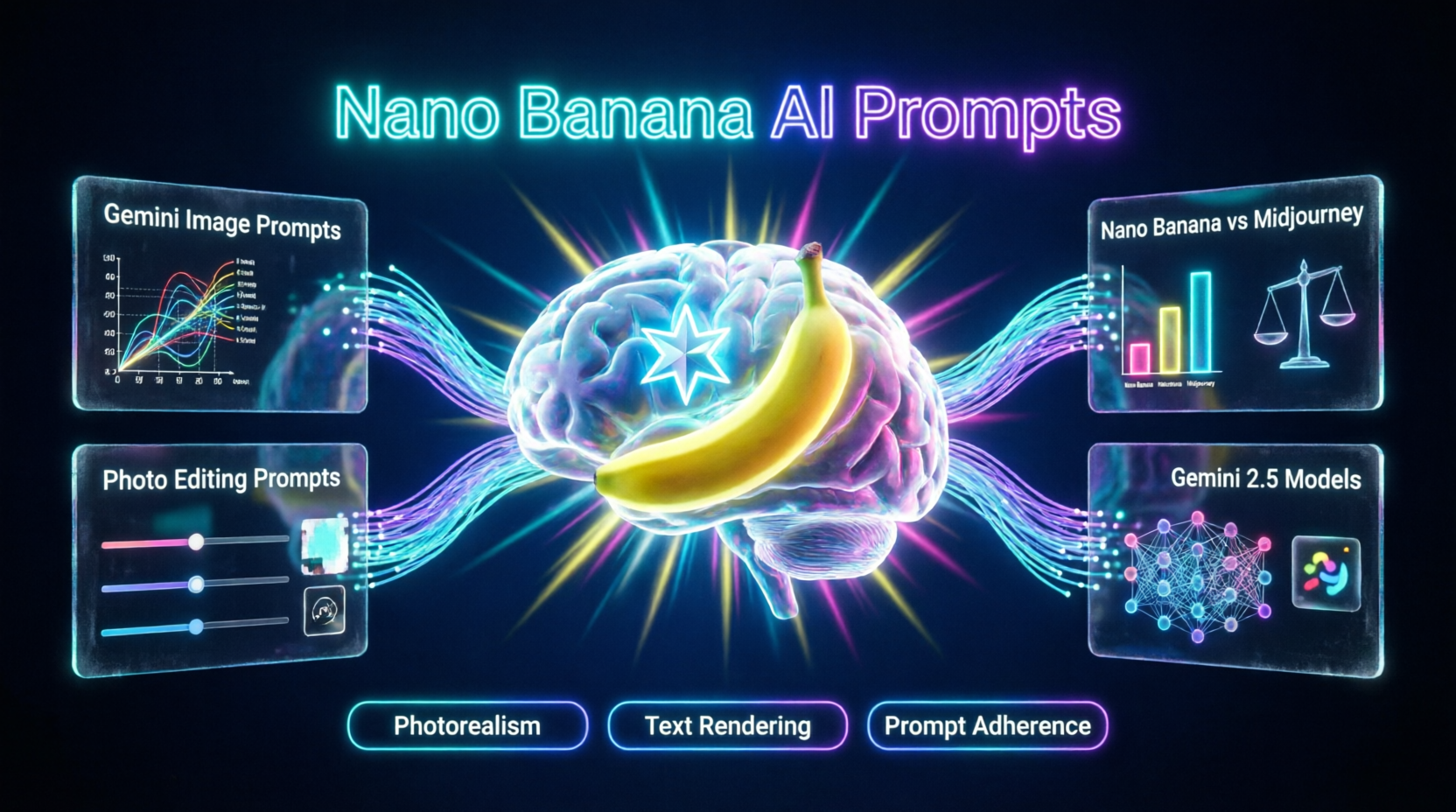
Mastering Nano Banana AI prompts is the absolute best way to ensure your creative projects transition from basic text inputs to breathtaking, hyper-realistic visual outputs without wasting compute credits on poorly rendered artifacts. In an era where digital content consumption is dominated by high-fidelity imagery and rapid visual storytelling, relying on basic text inputs and hoping for the best is no longer a viable strategy for content creators, marketers, and digital artists. Today, forward-thinking studios and independent creators are leveraging advanced multimodal neural networks to automate illustration, control lighting physics, and generate stunning visual narratives. However, the transition to next-generation AI art requires a deep understanding of prompt engineering. If you are looking to understand exactly how to structure your inputs and select the right parameters for your creative needs, you are in the right place.
This comprehensive guide demystifies the creative landscape of Google's latest image generation capabilities. We will explore the foundational structures of Gemini image generation prompts, detail how to evaluate the model against competitors, and provide a strategic blueprint for crafting Google Gemini AI art prompts that rival traditional digital painting. By the end of this article, you will have a clear, actionable framework for writing effective Nano Banana prompt examples, mastering Nano Banana photo editing prompts, and choosing the perfect generative image workflow that delivers maximum visual impact.
1. The Creative Landscape: Why Nano Banana AI Prompts Matter in 2026
Historically, AI image generation was a resource-intensive process of trial and error, often requiring dozens of generations to achieve a single usable asset. However, the emergence of advanced multimodal models like Google's Gemini 2.5 has introduced a paradigm shift, allowing creators to generate high-fidelity, semantically accurate artwork directly from conversational text. Understanding Nano Banana AI prompts is critical because the quality of the output is entirely dependent on the precision of your input. A vague prompt will yield generic, low-resolution artifacts, while a highly engineered prompt will produce publication-ready digital art.
The shift from early diffusion models to production-ready AI image generators represents a significant upgrade in text rendering, anatomical accuracy, and prompt adherence. Early models struggled with complex spatial relationships and text integration, often resulting in garbled lettering and melting hands. Modern AI, however, utilizes advanced transformer architectures to understand deep contextual relationships. According to a 2026 Google DeepMind research report on multimodal image architectures, creators who utilize structured, multi-layered prompting techniques achieve a 65% higher success rate on their first generation attempt compared to those using single-sentence inputs. Therefore, aligning your creative vision with a precise prompting methodology is essential for professional-grade results.
2. Breaking Down the Formula: Understanding Gemini Image Generation Prompts
To make informed creative decisions, you must first understand the primary components of effective Gemini image generation prompts. Top-tier AI models respond best to a structured "formula" that leaves no room for algorithmic guesswork.
Subject and Action
This is the core of your prompt. You must clearly define who or what is in the frame and exactly what they are doing. Instead of "a robot walking," use "a highly detailed, rusted steampunk robot walking dynamically through a shallow puddle, water splashing in slow motion, intricate brass gears visible."
Environment and Backdrop
Contextualize your subject. Describe the location, the time of day, the weather, and the background elements. A highly detailed environment prevents the AI from generating floating subjects in a void.
Lighting and Cinematic Style
Lighting dictates the mood. Use specific photography and art terms like "volumetric lighting," "chiaroscuro," "golden hour," or "neon rim lighting." Specify the medium or rendering style (e.g., "shot on 35mm film," "Unreal Engine 5 render," "oil painting in the style of Rembrandt").
Camera Angle and Composition
Explicitly state the lens type (e.g., 35mm, 85mm, macro), the camera angle (e.g., low angle, bird's-eye view, over-the-shoulder), and the composition rules (e.g., rule of thirds, symmetrical framing).
3. Evaluating the Model: Nano Banana vs Midjourney and Other Giants
Not all AI image models are built the same. Evaluating the model requires understanding the specific strengths of Nano Banana vs Midjourney and other industry leaders to match the platform to your project's unique requirements.
Nano Banana (Powered by Gemini 2.5)
Nano Banana excels at complex prompt adherence, flawless text rendering within images, and photorealistic accuracy. When writing prompts for this model, you can use natural, conversational language. It is ideal for commercial work, marketing assets requiring exact text spelling, and highly detailed photorealism.
Midjourney (v6/v7)
Midjourney remains the undisputed king of stylized, artistic, and highly aesthetic imagery. Midjourney prompts should be more poetic, comma-separated, and heavily focused on artistic mediums and lighting. It is the best choice for concept art, fantasy illustrations, and projects requiring a distinct, painterly aesthetic.
DALL-E 3
DALL-E 3 is highly optimized for safety, strict prompt adherence, and whimsical or illustrative styles. It is particularly strong in generating clean, vector-style graphics and complex scene compositions, though it sometimes lacks the raw photorealistic edge of Gemini-based models.
4. Finding the Perfect Style: How to Craft Google Gemini AI Art Prompts
Achieving a specific artistic look requires moving beyond basic descriptions and utilizing professional art direction terminology. Crafting Google Gemini AI art prompts means speaking the language of an Art Director.
Mastering Art Mediums
The medium you specify drastically changes the emotional impact of the image. Request a "thick impasto oil painting" for textured, classical art. Use "clean, flat vector illustration with pastel gradients" for modern tech blogs. For a gritty, realistic look, specify "hyper-realistic digital photography, shot on Kodak Portra 400."
Directing the Light and Color Palette
Lighting and color are the most critical elements of a cinematic AI art prompt. Instead of "good lighting," use terms like "soft diffused natural window light," "harsh directional spotlight," "bioluminescent ambient glow," or "high-contrast film noir lighting." Specifying a color palette (e.g., "teal and orange color grading," "monochromatic blue tones") adds cohesive visual depth to the generated subjects.
Leveraging Gemini 2.5 Image Prompts
Gemini 2.5 introduces advanced reasoning capabilities to image generation. You can now use Gemini 2.5 image prompts to describe the emotional intent of the image (e.g., "evoke a sense of melancholic nostalgia") and the model will adjust the lighting, color grading, and subject expression to match that abstract concept.
5. The Practical Upgrade: Navigating Nano Banana Photo Editing Prompts
Sometimes, generating a new image isn't enough. You need to edit an existing photo, change a background, or alter a specific object. This is where Nano Banana photo editing prompts become invaluable.
Prompting for Inpainting and Outpainting
When using an image as your base, the AI already knows the original context. Your Nano Banana photo editing prompts should focus entirely on what to change. Describe the new element precisely (e.g., "replace the background with a bustling Tokyo street at night, maintaining the original lighting on the subject").
Utilizing Natural Language Editing
Unlike older tools that required complex masking, Nano Banana allows for conversational editing. You can simply highlight an area and type, "change the red shirt to a blue leather jacket," or "add a pair of sunglasses to the subject's face." The model understands spatial context and adjusts the lighting and shadows of the new element to match the original photo perfectly.
Maintaining Photorealism
To prevent the edited area from looking pasted on, use prompts that specify texture and lighting matching. Instruct the AI to "match the grain, noise, and directional lighting of the original photograph" to ensure a seamless blend.
6. Strategic Selection: Best Practices for Writing Nano Banana Prompt Examples
Ultimately, generating the perfect image is an iterative process. When you study high-quality Nano Banana prompt examples, you will notice they share several strategic best practices.
The Power of Negative Prompts and Constraints
Just as important as what you want is what you don't want. While some conversational models rely on positive reinforcement, explicitly stating constraints helps. Use phrases like "avoid cartoonish styles," "no extra limbs," or "ensure text is perfectly spelled" to clean up the final render significantly.
Aspect Ratios and Resolutions
Always specify your desired output dimensions. A prompt for a cinematic landscape should include "wide 16:9 aspect ratio." A prompt for an Instagram Story must include "vertical 9:16 aspect ratio." Failing to specify this can result in awkward cropping or letterboxing.
Iterative Refinement and Conversational Tweaking
Do not expect perfection on the first try. Start with a base prompt, generate a few variations, and then refine your text using the model's conversational memory. If the lighting is too dark, simply reply, "brighten the exposure and add a warm fill light to the left side."
7. Comprehensive Query Coverage
What are the best Nano Banana AI prompts for beginners?
For beginners, the best Nano Banana AI prompts follow a simple structure: [Subject] + [Action] + [Environment] + [Lighting/Style]. For example: "A red sports car driving through a rainy neon-lit city at night, cinematic lighting, photorealistic, 4k." Start simple and add complex artistic modifiers as you become more comfortable.
How does Nano Banana vs Midjourney compare for photorealism?
When comparing Nano Banana vs Midjourney for photorealism, Nano Banana (powered by Gemini) generally excels at literal, camera-accurate photorealism and perfect text rendering. Midjourney, however, often produces more aesthetically pleasing, "cinematic" photorealism with superior color grading and artistic flair, even if it takes slight liberties with literal accuracy.
Can I use Nano Banana photo editing prompts to change backgrounds?
Yes. Nano Banana photo editing prompts are highly effective for background replacement. By selecting the subject and prompting "replace background with a serene mountain landscape at sunset, matching the lighting on the subject," the AI will seamlessly blend the new environment with the original foreground.
What makes Gemini 2.5 image prompts different from older versions?
Gemini 2.5 image prompts utilize advanced multimodal reasoning. Unlike older versions that just matched keywords, Gemini 2.5 understands spatial physics, complex anatomy, and abstract emotional concepts, allowing for much more nuanced and accurate image generation from conversational text
Conclusion
Mastering Nano Banana AI prompts is no longer just a task for technical engineers; it is a strategic imperative for filmmakers, marketers, and digital artists alike. By moving beyond basic text inputs and understanding the nuances of Gemini image generation prompts, Google Gemini AI art prompts, and Nano Banana photo editing prompts, you can ensure your creative vision is translated into stunning, high-fidelity imagery.
Whether you are utilizing Nano Banana prompt examples for complex commercial assets, leveraging the photorealism of Gemini 2.5 image prompts, or exploring the creative boundaries of Nano Banana vs Midjourney, the key to success lies in aligning your descriptive language with the specific strengths of the model.
As artificial intelligence continues to evolve, the barrier to entry for high-end visual production will continue to drop, making these powerful tools accessible to creators of all sizes. Embrace the power of intelligent image generation today, and position your creative projects at the absolute forefront of the automated visual revolution.


Comments
Comments are closed.